azure-functions is published by Microsoft from microsoft/azure-dev-tools, pinned to 0b249720ebd45df6e03584c7d12d7b62eb4e50ba. Review the source before installing.
Build a Function App, modernize an existing app, and find code or configuration issues before they become production problems. Use templates and guided controls on their own, or ask AI to help customize, review, and plan changes.
Install
In the GitHub Copilot app, open Customize → Plugins and install Azure Functions when your marketplace lists it. Reopen Copilot and start a fresh chat.
Azure Functions Hosted Skills is a separate plugin, not an installation of this one.
Prerequisites
Opening the canvas does not require the tools below. Install them for the tasks you use, then open Check prerequisites in the canvas.
| Task | Required tools |
|---|---|
| Create from a template or deploy | Azure Developer CLI (azd); deployment also needs Azure access |
| Run locally | Azure Functions Core Tools 4 (func) and the app's language dependencies |
| Open GitHub source | Git and GitHub CLI (gh), signed in with access to the repository |
| Check an app in Azure | Azure CLI (az), signed in with access to the app |
Templates in a repository subfolder also need Git. VS Code and its code
command are optional, for Open in VS Code.
Try it
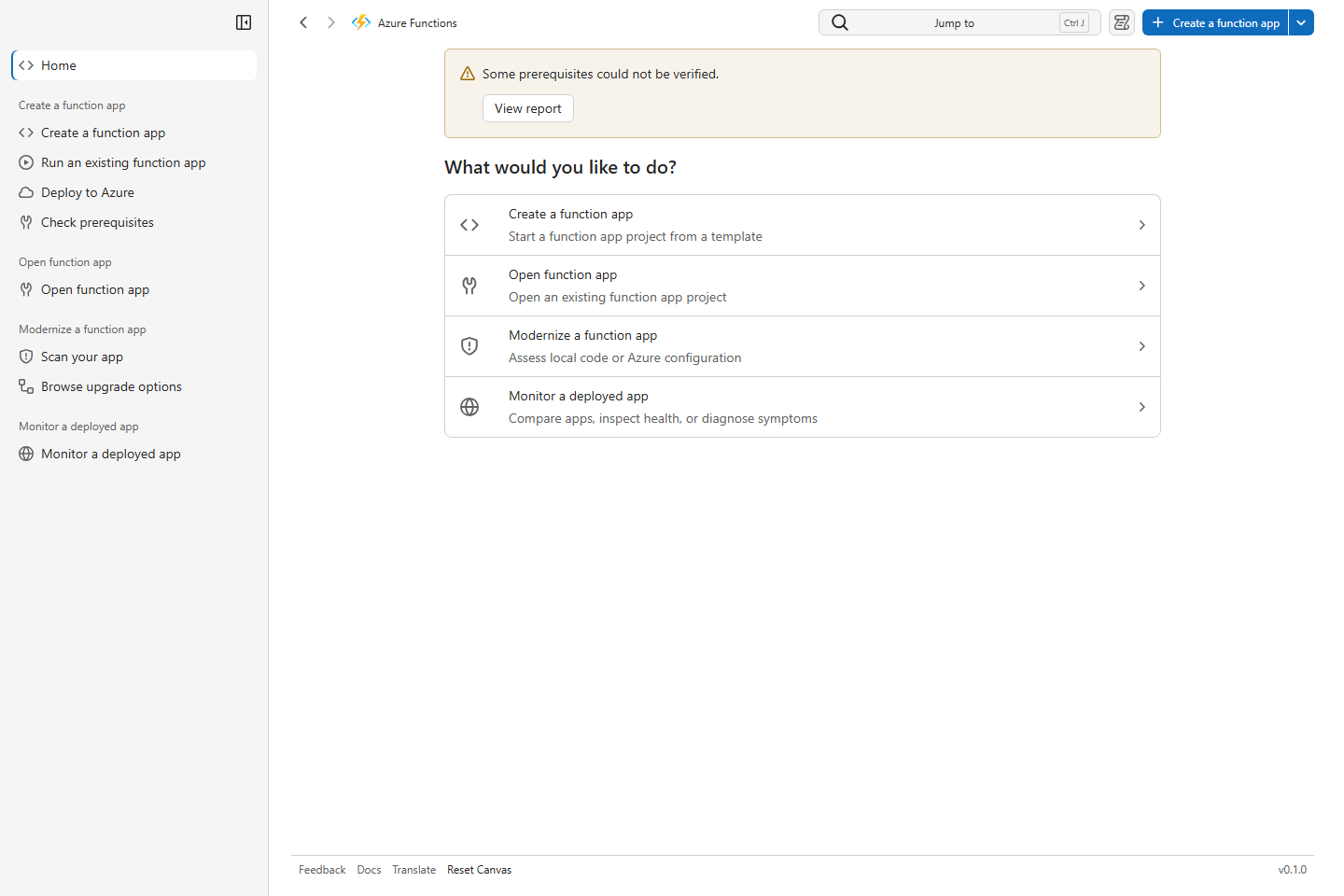
Ask Open Azure Functions canvas, then choose a task on Home. One canvas brings creation, editing, modernization, and monitoring together:
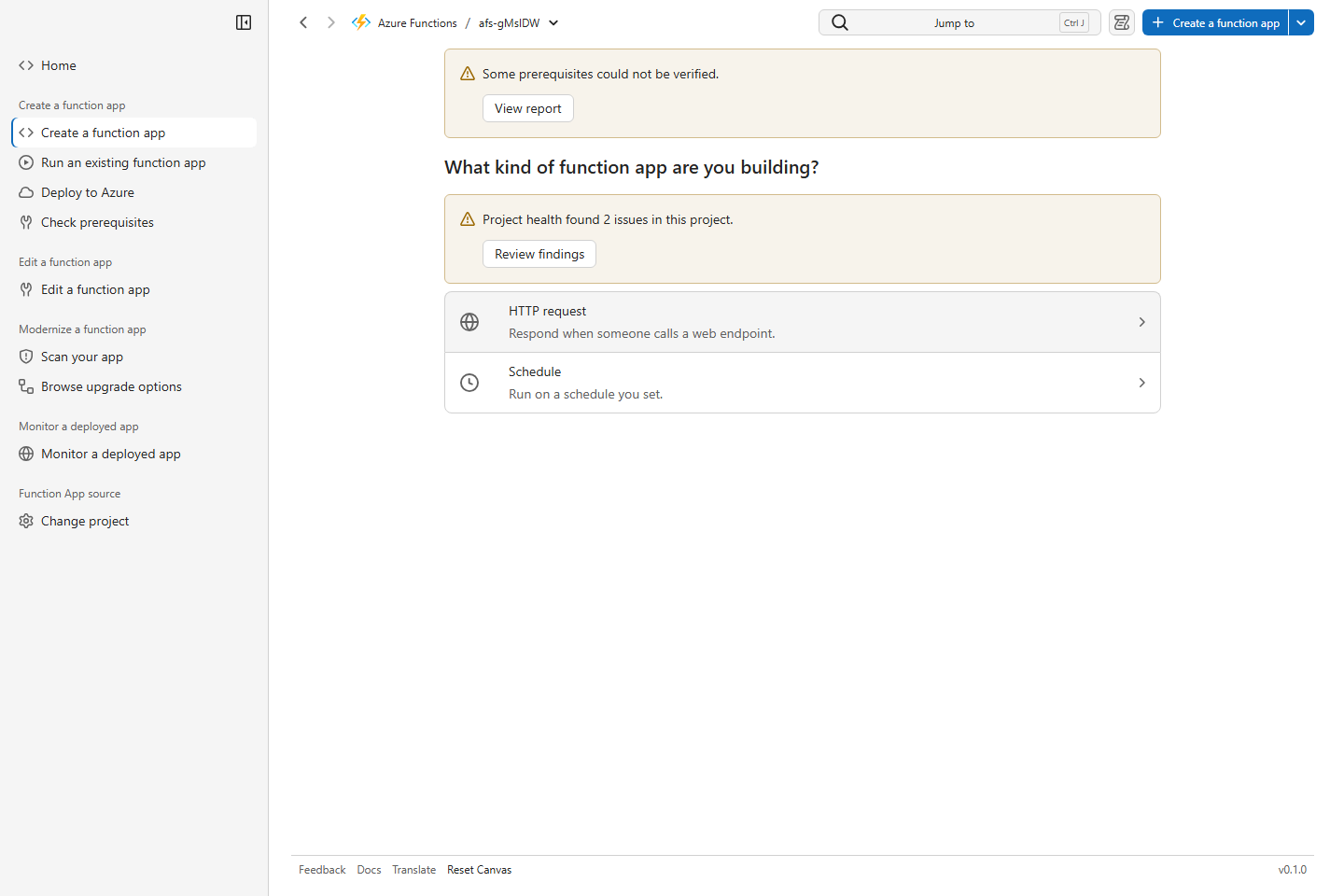
- Create a function app: choose a starter and destination for a local function app project. Describe your app for AI customization, or open Creation options → Create from starter to create it without AI. Run locally and review deployment settings when ready.
- Open function app: select a local project or GitHub source, then add functions from official templates, edit the source preview, and review before applying. Or describe changes with Customize with AI and review proposed edits in chat.
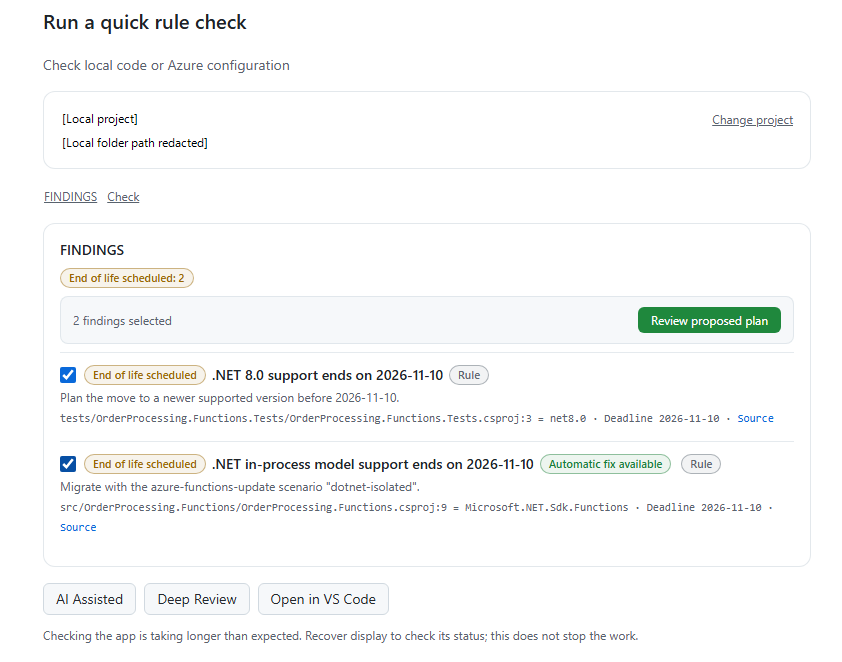
- Modernize a function app: select a local project or an Azure app and run a rule check. Review the findings before asking for a fix plan.
For a closer look at local code and configuration, open Deep Review from Jump to and confirm that you trust the project.
What you can do
- Get started faster. Create from official Azure Functions templates,
including AI agent starters, with or without AI customization. Open the
project in VS Code, run it locally, and deploy with Azure Developer CLI (
azd). - See what needs modernizing. Find end-of-life or unsupported runtimes, programming models, and hosting plans. Select findings and review a migration or fix plan before approving changes.
- Find code and configuration issues earlier. Use read-only Deep Review to inspect a trusted local project against Azure Functions best practices. Review findings in the canvas before deciding what to change.
Checks do not change your app. Fixes require separate approval; deployment is a separate action that can create billable Azure resources.
See creation and review screens
Choose a function starter
Review a local project
Review a deployed app
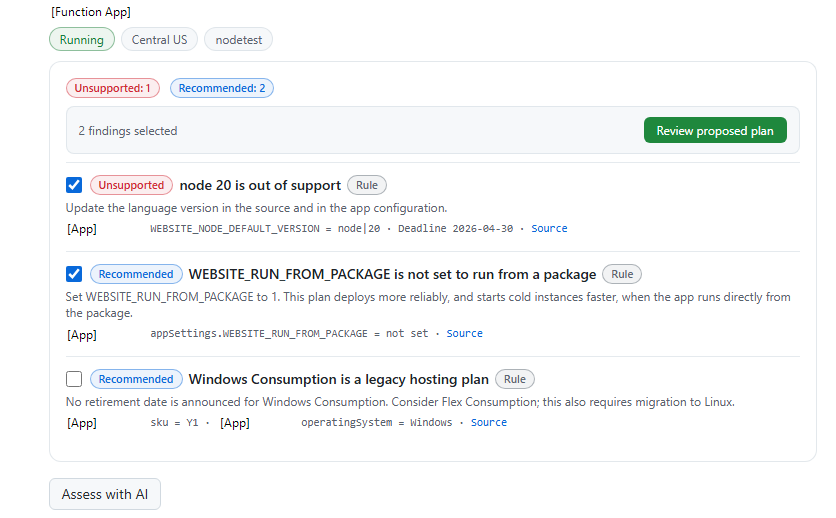
Home and creation views use synthetic fixtures. App names and local folder paths are redacted in the review screenshots.
Prompts to try
Open Azure Functions canvas so I can create a Python HTTP function app project without AI customization.
Open Azure Functions canvas so I can check this project's runtime and programming model.
Open Azure Functions canvas so I can run Deep Review on this local project.
Usage data
Usage telemetry is enabled by default to help improve this plugin. It sends basic canvas and skill usage data and, when available, your numeric GitHub user ID to the usage metrics service. Prompts, tool inputs/outputs and credentials are excluded.
You can disable usage telemetry. Copilot's own telemetry is separate.
Learn more
See the release notes and Azure Functions documentation.