speckit-companion is published by Alfredo Perez from alfredoperez/speckit-companion, pinned to f9b73db59cd9187dca39530e5e0e6119aff577b4. Review the source before installing.
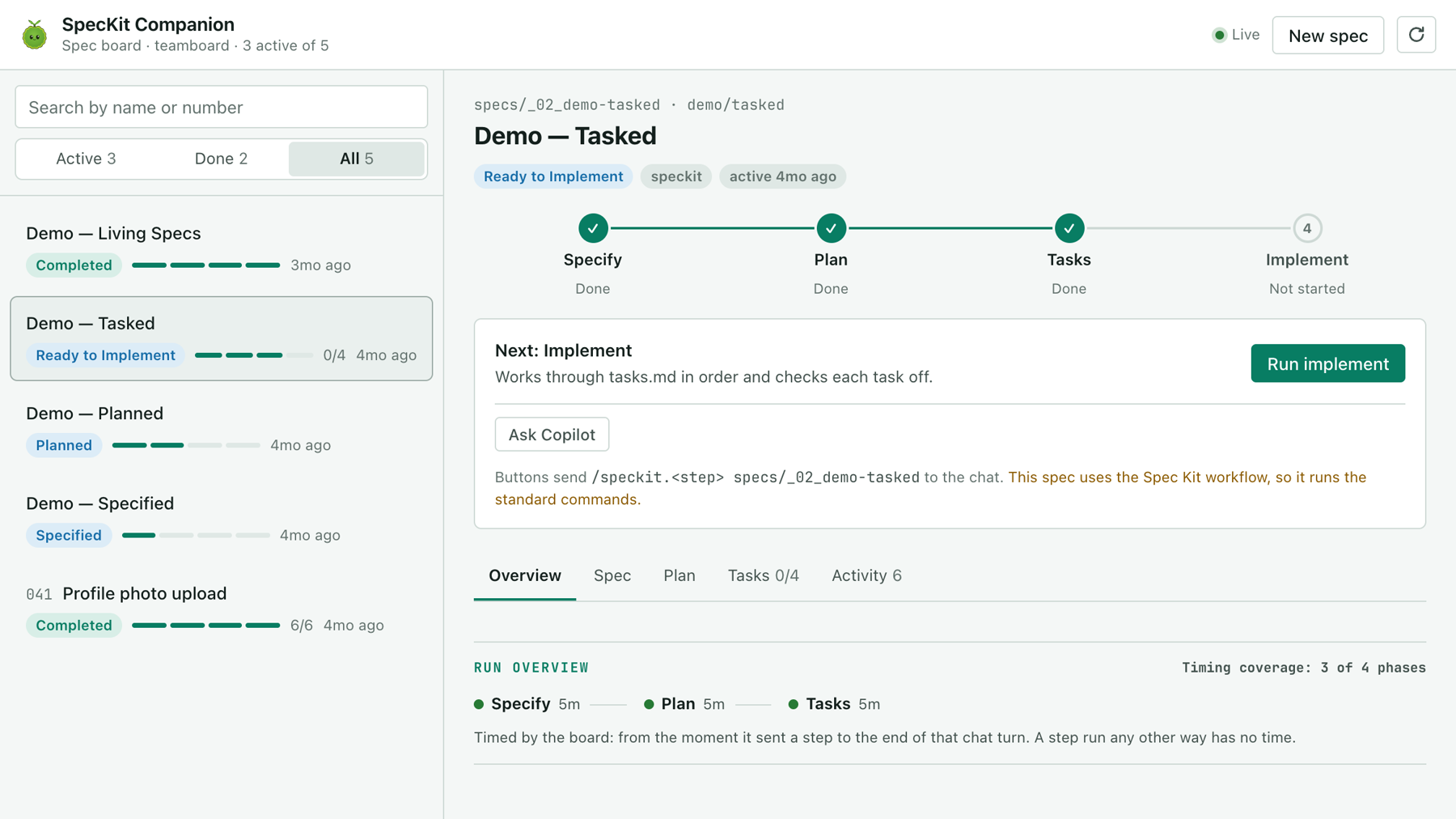
A live board of every spec in your repo, next to the chat in the GitHub Copilot app. It's for people who run Spec Kit with Copilot: you see where each spec stands, read its documents, and run the next step from a button. It works with stock Spec Kit and with SpecKit Companion, and you don't need VS Code.
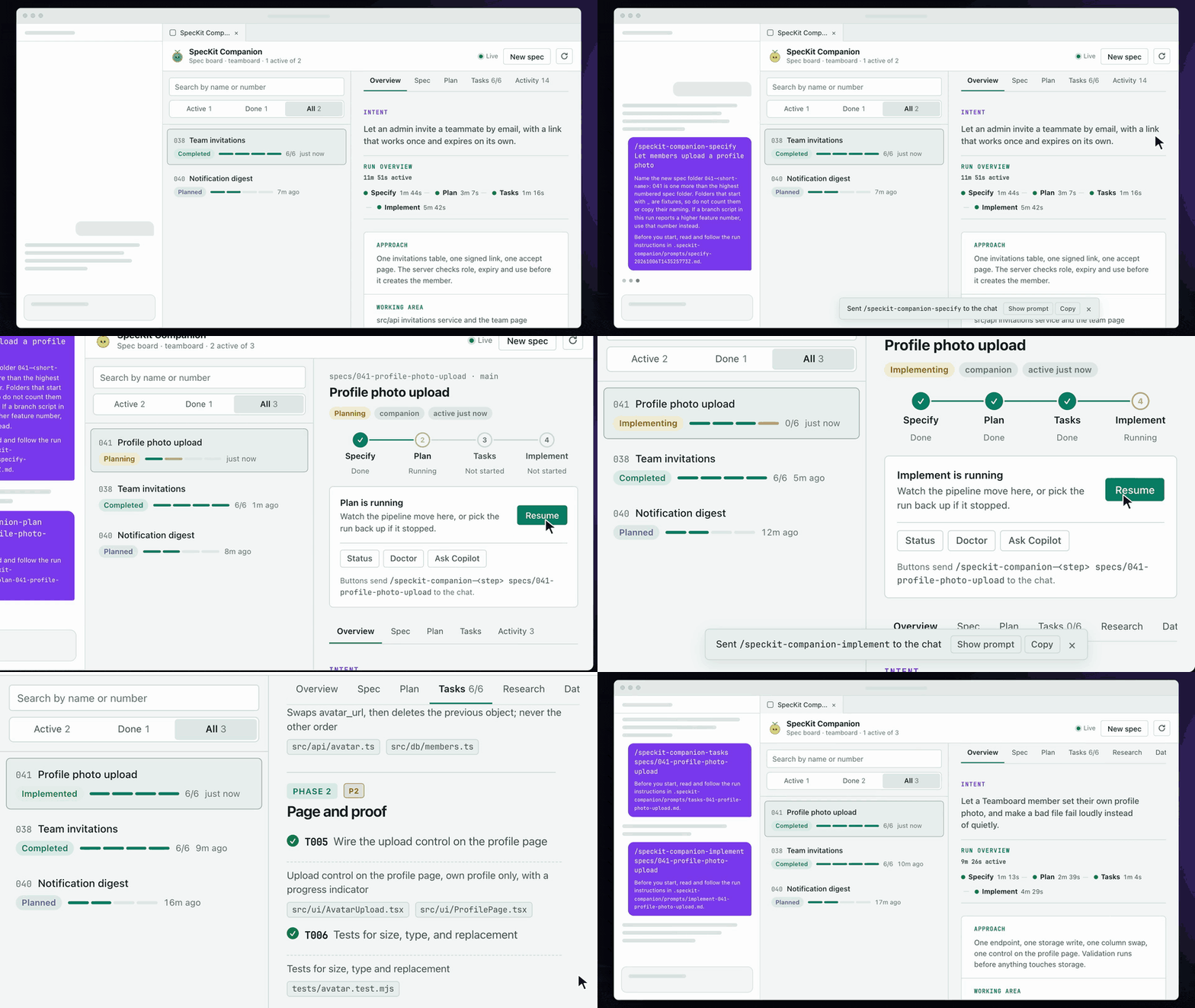
The clip below is a recreation of one run, sped up. The board is the real one, and the window and chat around it stand in for the Copilot app.
Install
The board is a canvas extension. Copy this folder into your user folder and it shows up in every new session:
git clone https://github.com/alfredoperez/speckit-companion
cp -R speckit-companion/apps/copilot-canvas/com.github.copilot/extensions/speckit-companion ~/.copilot/extensions/speckit-companion
First run
Open your project in the Copilot app, start a new session, and ask: Open the SpecKit Companion canvas. It's also in the session's + menu, under Canvas → SpecKit Companion.
Open a spec to read its documents, and press the button on the card under the pipeline to run the next step. The button sends one command into the chat, and the board updates as the agent writes.
Share it with your team
Copy the folder into the project and commit it:
cp -R speckit-companion/apps/copilot-canvas/com.github.copilot/extensions/speckit-companion <project>/.github/extensions/speckit-companion
A project copy is code, so the app keeps it off until you accept it. Since Copilot app 1.1.26:
- Merge the copy to your default branch.
- Choose Review repository content on the notice the app shows, then Accept for new sessions.
- Start a new session and open the canvas.
A session that was open when you accepted never gets the board. After any change under .github/extensions/, new sessions lose it until you accept again.
What the board writes
The board never writes a spec document. It writes two things:
- Its own run instructions under
.speckit-companion/prompts/, with a.gitignorebeside them so they stay out of your commits. - In a stock project, the start and finish of each step it sent, in the spec's
.spec-context.json. Where Companion is installed the board does not write that file. The commands it sends do.
Known limits
- The board is clipped after you narrow the panel. The Copilot app does not resize the panel's page, so the board can't reflow. Close the canvas and open it again after resizing.
- Each session runs in a fresh worktree cut from your default branch. It has no
node_modules, so an implement step that runs tests installs the dependencies first. Companion's commands have to be committed files too, not symlinks from a--devinstall.
SpecKit Companion runs in four places
| Where | What it is | Start here |
|---|---|---|
| VS Code | The extension: a sidebar, a spec viewer and the Overview of every run. | Install |
| Spec Kit | The engine half: records each step so every surface can show progress and resume. | Install |
| GitHub Copilot app | A live spec board in the app's side panel. | Copilot app |
| Claude Code | The followed spec's run above your prompt and in a pane. | Claude Code |